Open Folder

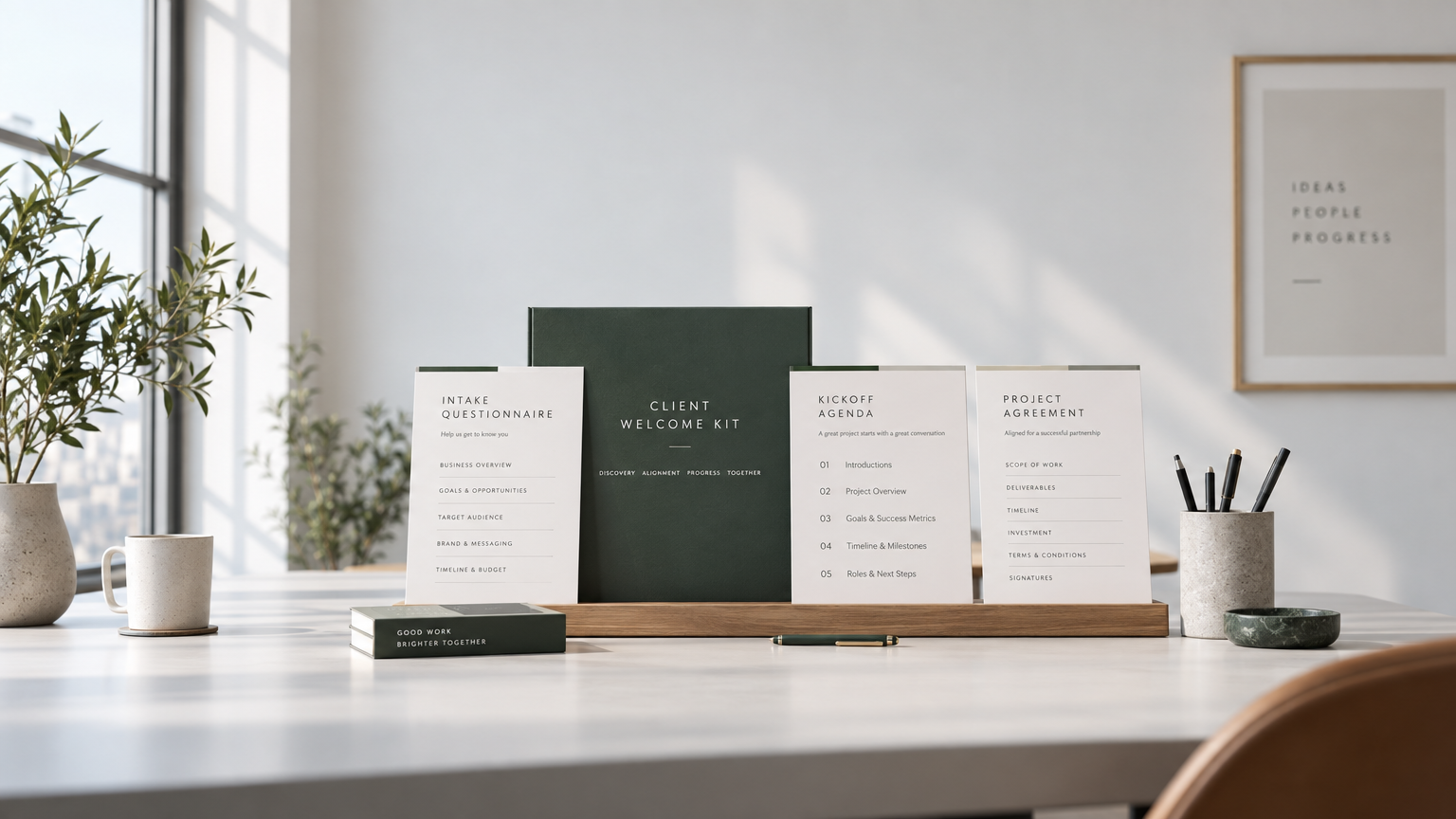
Client Welcome Kit · $39 one-time

The copy-paste onboarding system for solo freelancers

Copy-paste client onboarding for freelancers who want to look established from the first email

Full Access. Instant digital delivery. Nothing ships.

A manila folder with onboarding pages on a linen desk
An empty email draft on a laptop at dusk

The messy scramble after the contract is signed

The client said yes. Then the scramble starts. You rewrite the same kickoff email, hunt for last quarter's questionnaire, invent file-sharing instructions on the fly, and hope they don't dump work into a random Drive folder. Boundaries stay unwritten. You look unprepared in the inbox even when the work is solid.

Your writing is not the problem. Starting from a blank page is.

You do not need a better personality in email. You need one sequence you reuse, so the client gets questions, a written scope, and a start date before you touch the work. Without a new app. Without a 40-page SOP you will not open.

One pack. Same sequence. Every client.

  1. 01

    Same-day welcome

    They said yes. You send the pack that afternoon, not after you "have a minute."

  2. 02

    Intake before work

    Sixteen questions, in writing. You stop guessing what they meant on the call.

  3. 03

    Scope they confirm

    What's in, what's out, dates, fee. They reply confirmed. That email is the one you point to later.

  4. 04

    Kickoff without chaos

    A short checklist and a first-week check-in, so silence does not invent problems.

What you send, and when

  • The afternoon they say yes

    Welcome email and intake go out. You are not drafting from scratch.

  • The day intake comes back

    Scope confirmation. You do not start until they reply confirmed.

  • The day before kickoff

    Kickoff note and checklist. Week one ends with a status, not a disappearing act.

Read-only preview

Inside The Kit: Free Sample

A client portal checklist for freelance designers and writers. Copy the draft as-is, then swap the placeholders.

Client portal checklist (kickoff email)
Subject: Welcome, [Client Name] — your portal checklist for [Project Scope]

Hi [Client Name],

Thrilled to kick off [Project Scope]. This is the same portal setup I use with every designer and writer engagement so nothing lives in a random inbox thread.

Please work through this checklist before our start date ([Start Date]):

1. Open the client portal: [Portal URL]
2. Confirm your login email: [Client Email]
3. Upload brand files (logo, fonts, brand guide) to Files → Brand
4. Add the working brief and any examples to Files → Brief
5. Complete the intake form (scope, audience, due dates, revision rounds)
6. Confirm preferred review days: [Review Days]
7. Share access to existing copy or design files: [Existing Files Link]
8. Reply “checklist complete” so I can lock the kickoff agenda

Once those eight items are done, we start on [Start Date] with a written scope and a single place for drafts, comments, and approvals.

Questions? Reply to this email. I will not begin production until the checklist is complete.

Talk soon,
[Your Name]
[Your Studio]
Get all 10 templates and client intake workflows for $39

What's inside

All 13 lessons and templates, listed

10 Welcome Kit lessons plus 3 kickoff script sets. Questionnaires, project agreements, and payment reminders are named below, not hidden in a course outline.

Client Welcome Kit · 10 lessons

Full Access

Onboarding questionnaires, project agreements, and payment reminders in one pack.

  1. 01Template

    Kickoff email (copy-paste)

    The first send after they say yes. Sets the start date and what happens next.

  2. 02Template

    Welcome email the same day they say yes

    Warm, short, and specific so you look established before any work starts.

  3. 03Template

    Intake request email

    Asks them to complete the questionnaire before you open the files.

  4. 04Onboarding questionnaire

    Client questionnaire form

    The 5-minute welcome questionnaire: goals, audience, due dates, revision rounds.

  5. 05Project agreement

    Project boundary guide (what's in, what's out)

    Written edges so extra work does not sneak in as a favor.

  6. 06Project agreement

    Scope confirmation they reply to

    They reply confirmed. That thread is the agreement you point to later.

  7. 07Template

    Client file access instructions

    One place for brand files, briefs, and drafts. No random Drive folders.

  8. 08Template

    Kickoff checklist

    The day-before list so kickoff is a start, not a scramble.

  9. 09Template

    First-week check-in note

    A short status so silence does not invent problems.

  10. 10Payment reminder

    Late-payment and scope-change notes

    Pause language and change-order wording, already written.
Get Full Access · $39

Client Kickoff Starter Scripts · 3 lessons

Starter Access

Three kickoff script sets for the afternoon they say yes.

  1. 01Script set

    Kickoff email draft

    The afternoon-they-said-yes email, ready to send.

  2. 02Script set

    Same-day welcome email

    A second send if you split welcome from kickoff.

  3. 03Script set

    Intake request email

    The ask that gets the questionnaire back before production.

Get Starter Access · $14
Printed onboarding pages fanned out of a folder

Everything is copy-paste

  • Kickoff email (copy-paste)
  • Welcome email the same day they say yes
  • Intake request email
  • Client questionnaire form
  • Project boundary guide (what's in, what's out)
  • Scope confirmation they reply to
  • Client file access instructions
  • Kickoff checklist
  • First-week check-in note
  • Late-payment and scope-change notes

Choose your access

Start at $14, or take the complete kit

Starter Scripts is the budget entry. Full Access is the full onboarding sequence.

Starter Access · $14 one-time

Client Kickoff Starter Scripts

The emails you send the afternoon they say yes.

$14one payment, instant access

  • Kickoff email (copy-paste)
  • Welcome email the same day they say yes
  • Intake request email
Get Starter Access · $14

Full Access · $39 one-time

Client Welcome Kit

Look established from the first client email.

$39.00one payment, instant access

  • Kickoff email (copy-paste)
  • Welcome email the same day they say yes
  • Intake request email
  • Client questionnaire form
  • Project boundary guide (what's in, what's out)
  • Scope confirmation they reply to
  • Client file access instructions
  • Kickoff checklist
  • First-week check-in note
  • Late-payment and scope-change notes
Get Full Access · $39

Digital kit. Access opens as soon as payment clears. Nothing ships.

VisaMastercardAmerican Express

Questions

Can't I just write this myself?

You can. That is why you are still staring at a blank draft after every yes. The kit is the sequence you reuse, not a writing lesson.

Will it sound like a template?

It is a skeleton. Replace the brackets with your name, fee, and dates. Keep the order. That is what makes you look organized.

Do I need Notion or some other app?

No. Copy from the lessons into the email you already use.

I'm a writer / consultant, not a designer.

Same problem. Same pack. Change the project name. Keep intake, scope, and the pause rule.

What about retainers?

Use the retainer name as the project. Send intake once. Keep the late-payment pause in writing.

Is this a course I have to sit through?

No. Ten short lessons you copy. You can skip to the email you need today.

What's the refund policy?

Full refund within 48 hours if you have not opened the course. After that, or once the kit is opened, sales are final. Message Open Folder on Whop with the email on your receipt.

Send the pack this afternoon, not after you reinvent it again.

Get Full Access · $39

Free 1-page onboarding checklist

The 10-Point Freelance Client Kickoff Checklist

One page you reuse the afternoon a client says yes. Print it, keep it open, stop rewriting the kickoff from scratch.

  • 01

    Kickoff timeline template

    The afternoon they say yes, the day intake comes back, the day before kickoff, and the end of week one. Dates in writing so silence does not invent the schedule.

  • 02

    Client asset intake sheet

    Sixteen asks in one list: files, logins, decision-makers, deadline, and what done looks like. You stop guessing what they meant on the call.

  • 03

    Communication boundaries guide

    Hours, channel, response time, revision rounds, and the pause rule. Clients get it in the first email, not after the third late Slack.